Give your AI agent
eyes into your machine.
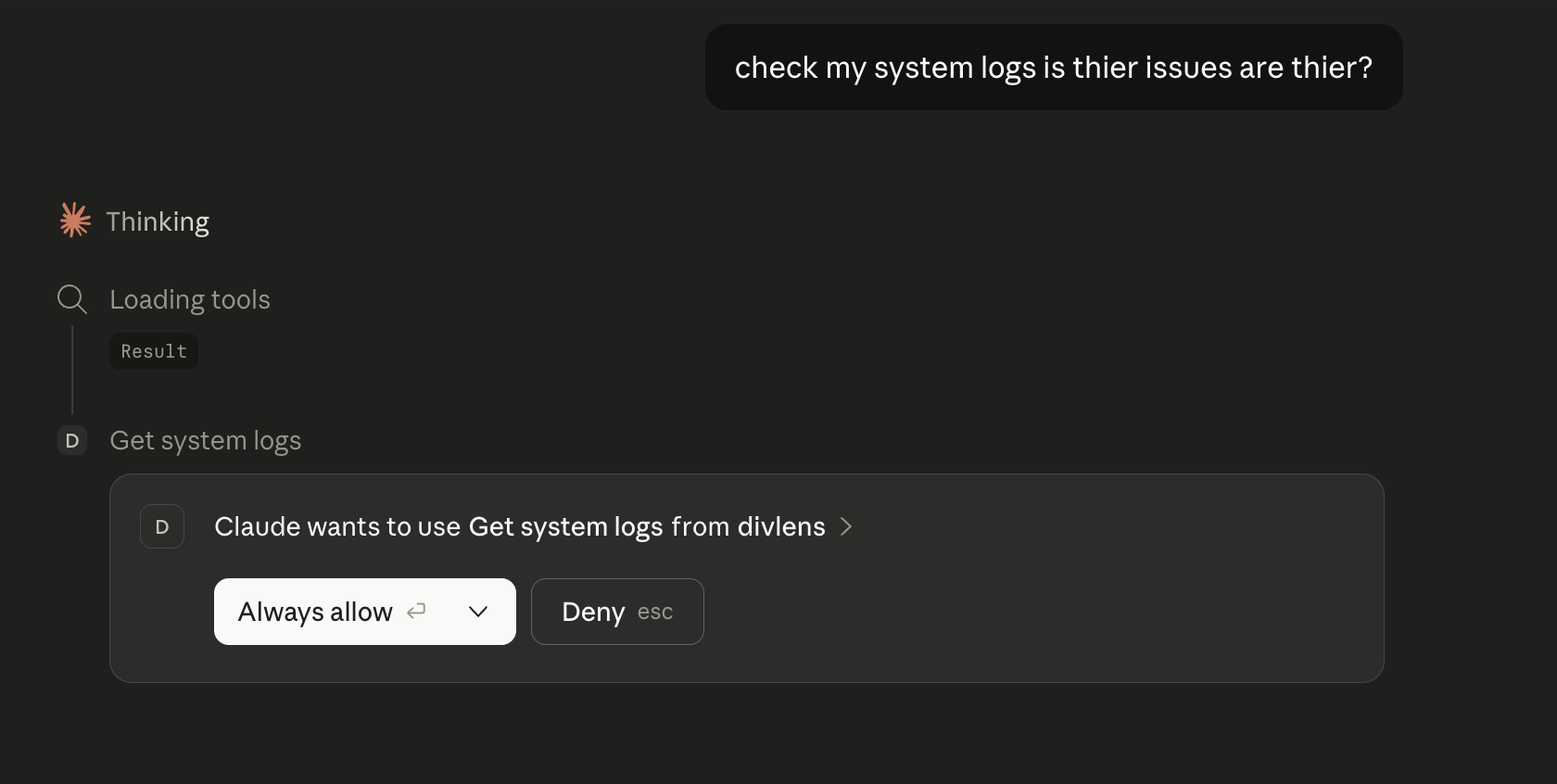
DivLens MCP connects AI assistants like Claude, Cursor, and Windsurf to live data from your CPU, RAM, disk, network, and hardware — instantly, privately, on your device.
Works with Claude Desktop · Cursor · Windsurf · Any MCP-compatible client
AI assistants are brilliant.
But they're blind to your machine.
Ask any AI why your computer is slow and you get a list of guesses — too many tabs, background processes, low memory.
- ✕Can't see which process is consuming CPU right now
- ✕Doesn't know your SSD is 94% full
- ✕Has no idea your WiFi signal is weak
- ✕Can't find the Python version conflict in your dev environment
The gap isn't intelligence. It's grounding.
DivLens MCP closes that gap.
15+
Diagnostic tools
called in real time
0ms
Cloud latency
fully local
3
AI clients
Claude · Cursor · Windsurf
1
Binary file
no dependencies
An API layer over your OS — designed for AI.
DivLens MCP exposes 15+ professional diagnostic tools through a standard protocol any AI client can call. It runs as a single local binary — no cloud, no telemetry, no internet required.
Real-time, not cached
Every tool call reads live data directly from the OS. Your AI sees what's happening right now — not 5 minutes ago.
100% local
Nothing leaves your machine. No API keys, no accounts, no cloud dependency. Works air-gapped.
One binary
Single self-contained file. Drop it anywhere. Configure in one line. Running in under 2 minutes.
Dead simple to install.
The installation process is fully automated. It detects your OS, downloads the correct pre-built binary, and auto-configures your AI clients (Claude, Cursor, Windsurf) without requiring admin privileges.
macOS & Linux
For both macOS (Apple Silicon & Intel) and Linux, use the automated bash installer. Open your terminal and run the command.
- ✓Downloads securely from official repo
- ✓Detects OS and CPU architecture
- ✓Places binary in local user path
- ✓Auto-configures AI clients
curl -fsSL https://raw.githubusercontent.com/Lohithry/divlens-mcp/main/install.sh | bash
Windows
For Windows, use the PowerShell script. You do not need Administrator permissions to run this.
- ✓Securely fetches via
irm - ✓Executes locally via
iex - ✓Places .exe in
%APPDATA% - ✓Auto-configures MCP settings
irm https://raw.githubusercontent.com/Lohithry/divlens-mcp/main/install.ps1 | iex
Advanced: Build from Source (Any OS)
If you prefer to compile the Rust binary yourself instead of using the pre-built executables, make sure you have Rust 1.82+ installed (rustup), then run the following commands in your terminal:
# 1. Clone the repository
git clone https://github.com/Lohithry/divlens-mcp.git

# 2. Navigate to the core Rust application
cd divlens-mcp/apps/core

# 3. Build the highly optimized release binary
cargo build --release

# 4. Verify it runs in MCP mode
./target/release/divlens-core --mcp
Next Steps After Installation
Regardless of which OS you installed it on, you must completely restart your AI client (Claude Desktop, Cursor, or Windsurf) for the new MCP server to be recognized.
Once restarted, you will see a plug 🔌 icon in your AI chat, and you can instantly start asking questions like:
Complete system observability.
Grouped across five domains — your AI can call any of them instantly.
Performance
- CPU load & context switches
- Top processes by CPU / RAM
- RAM pressure & swap usage
Storage
- Per-disk space & health
- Top 50 largest files
- Breakdown by file type
Hardware
- CPU & GPU temperatures
- Battery health & cycles
- Predictive failure signals
Network
- Signal strength & throughput
- Active sockets by process
- DNS & interface config
System Identity
- OS version & uptime
- Machine fingerprint
- Recent kernel errors
Dev Environment
- Installed runtimes & versions
- PATH conflicts detection
- Package managers
Works with every major AI client.
Claude Desktop
claude_desktop_config.jsonAdd DivLens to your Claude config. Every conversation automatically gets live system context. The 🔌 icon confirms it's active.
Cursor
~/.cursor/mcp.jsonAdd to your Cursor MCP config. Your AI code editor now knows if your CPU is bottlenecked before it tells you why your build is slow.
Windsurf
~/.codeium/windsurf/mcp_config.jsonSame zero-config stdio integration. Full system context inside your AI editor, instantly.
Any MCP client
stdin/stdout · JSON-RPCAny AI agent that implements the MCP client spec can integrate DivLens in minutes by spawning the binary as a subprocess.
What changes when your AI
can actually see your machine.
"Why is my Mac slow?"
Generic advice. Check Activity Monitor. Restart your apps.
Reads live metrics → finds Compressor at 340% CPU from a background video export → tells you exactly what to kill and why.
"My disk is almost full — what's using space?"
Manually scroll through Finder and guess.
Scans storage → surfaces top 50 largest files → finds 47 GB of old installer files in your Downloads folder.
"Why won't my Python script run?"
20 questions about Python version, pip, virtualenv.
Reads your dev environment → finds two conflicting Python installs → identifies the exact binary being invoked.
"My WiFi keeps dropping on calls."
Restart the router. Hope for the best.
Checks network diagnostics → sees signal at −78 dBm and Time Machine consuming 80 Mbps in the background.
Local-first. Private by design.
Every tool reads from local OS APIs. Nothing leaves your machine unless you ask it to.
Zero telemetry
No data is collected, sent, or stored anywhere outside your device.
Works offline
No network requirements. Works air-gapped, on planes, in server rooms.
One binary
No runtime, no interpreter, no dependencies. Runs in milliseconds.
Give your AI the data it needs
to actually help you.
Free, open source, and running in under 2 minutes.